All insights

·

Daniel Asper
Choose Who Can View and Who Can Edit a Shared Meeting
Sharing a meeting in Continuum now has two access levels, Can view and Can edit, plus default sharing settings so your team sees new meetings without extra clicks.
Advisors rarely work alone. An associate drafts the follow-up, an assistant books the next meeting, a compliance reviewer needs to read what was said. Continuum now lets you set each person’s access when you share a meeting, and set defaults so you do not have to think about it every time.
Two access levels
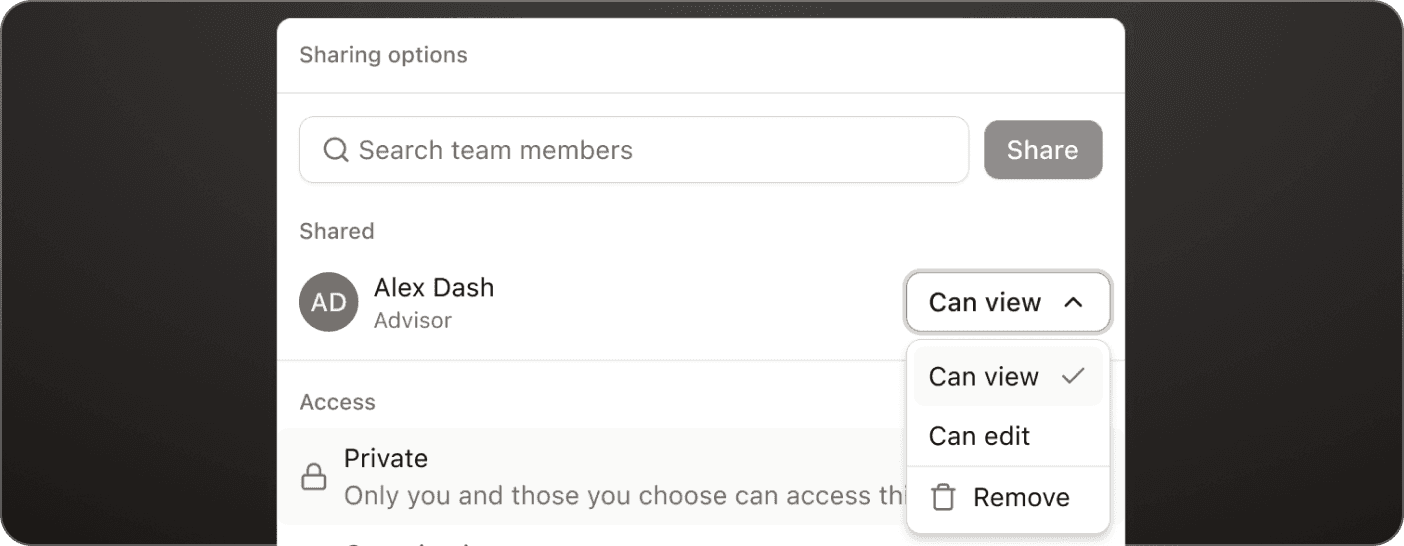
Can view gives read-only access to the summary, transcript, notes and tasks. It is the right level for a reviewer or a teammate who needs context but should not change the record. Can edit lets the person edit the summary, participants, next steps and notes. It is the right level for an associate advisor or assistant who is managing follow-ups after the meeting.
To share, open the meeting, click Share, search your team members, and pick the level beside each name. You can change or remove access later from the same panel.
Set your defaults once
Under Settings, then General, then Sharing, choose who gets access to each new meeting and Page you create. It starts as private to you. You can open it to everyone in your organization, or add specific people with view or edit access. You can still change sharing on any single meeting, so a sensitive conversation can stay private even when your default is open.
Everyone at your organization means the people listed under Members. If your dealer or firm has others who use Continuum in a separate organization, they are not included.
Why it is built this way
The record of a client conversation is a compliance artifact. Separating viewing from editing means more people can see what happened without more people being able to change it, and every edit is attributed to a named user. For firms that run a team-based service model, default sharing turns Continuum into a shared memory of every client relationship rather than a personal notebook.
Open any meeting and click Share to try it.
Daniel Asper
Daniel Asper is CEO and co-founder of Continuum.