All insights

·

Daniel Asper
Pages: Build a Branded Client Deliverable in Seconds
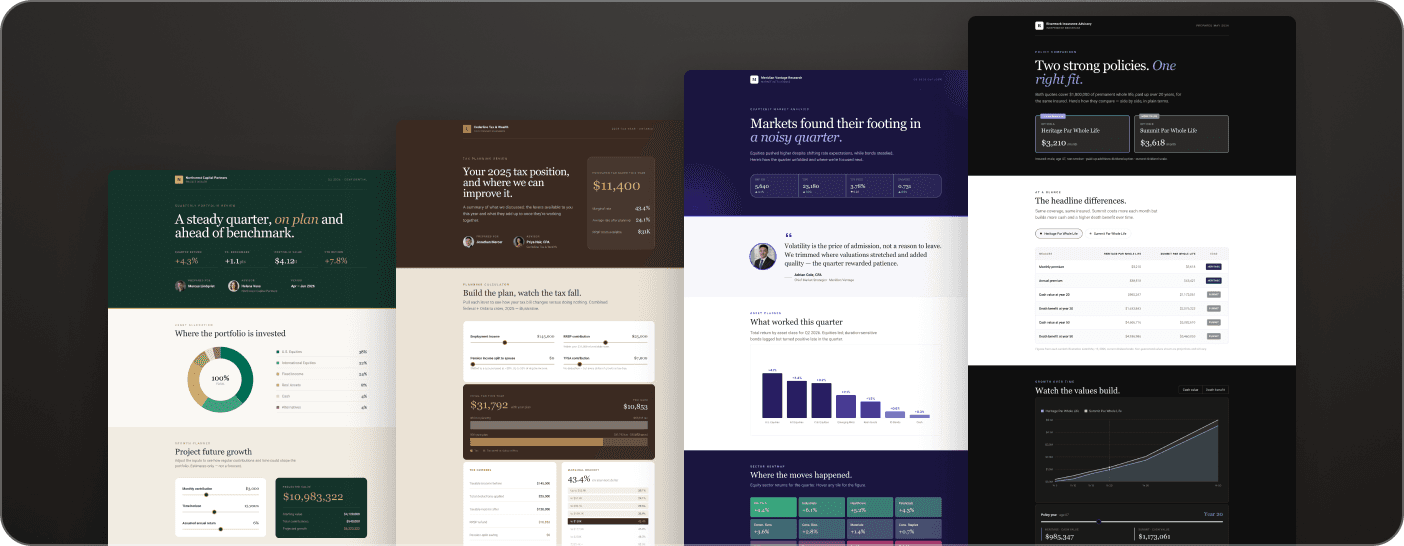
Pages turns a meeting, a document or a prompt into a branded, interactive client deliverable your clients can read on any device. Here is how it works.
Most of what an advisor sends a client after a meeting is a rebuild of something that already exists: the notes, the plan, the statement, the scenarios you walked through. Pages removes the rebuild. You pick a starting point, Continuum drafts a branded Page, you review it, and you send a link. Advisors are using it for post-meeting recaps, financial plan overviews, insurance reviews, quarterly updates and prospect proposals.
Five ways to start a Page
Start from a finished meeting and Continuum uses the transcript, summary, notes, participants, action items and attachments. Start from a document when a plan, statement or illustration is the main source. Start from a prompt when there is no meeting behind it, such as an onboarding package. Start from a template when you send the same kind of Page often. Or start from an existing Page you like and adapt it for another client.
A Page created from a meeting can include your firm logo, your name and photo, a button for the client to book time, a personal message drafted from the conversation, a client-friendly summary, next steps with checkboxes, and the documents you attached.
Edit by chatting or by typing
Every draft opens in an editor with the AI chat beside it. Tell it what to change in plain language, for example “shorten the summary and move the three scenarios into a comparison table,” or click into the Page and type. Interactive charts and tables come from the numbers in your documents, and the Page reads well on a phone without any extra work.
You stay in control of what the client sees
Nothing is sent automatically. A new Page is a draft until you click Publish, and even then Continuum only gives you the link and an email draft to send from your own address. By default, only the clients you invite can open a Page, and each one verifies their email with a six-digit code, so a forwarded link opens for no one else. If your firm has compliance enabled, a disclosure footer with your firm and dealer details appears on every Page, managed by your admins rather than by the AI.
What happens after you send
Pages tracks engagement: whether the client opened it, how far they read, and which documents they downloaded. That turns the follow-up from a guess into a conversation. Clients can also ask the Page’s built-in assistant questions about their own plan, grounded only in what you published.
Pages is available with Continuum Pro. If you want to see one built live from a real meeting, book a demo and ask for it.
Daniel Asper
Daniel Asper is CEO and co-founder of Continuum.